From age 14, with one of the following identity documents:
- Foreign passport (with notarized translation).
- Residence permit.
- Refugee certificate.
- Certificate of temporary asylum.
- Temporary residence permit.
Navigating Russia’s mobile networks as a visitor or expat just got a major update. How to get a SIM card in Russia got a little complicated.
Starting January 1, 2025, new regulations have changed the process for how to get a SIM card in Russia as a foreigner. Whether you’re a tourist seeking connectivity for a smoother trip, or a long-term resident applying for programs like the Shared Values Visa or Golden Visa, a locally registered number is now essential.

1
Prepare the Necessary Documents
and Information
✓ Email Address
✓ Identity Document
✓ Notarized Translation of a Foreign Passport
✓ SNILS (Individual Insurance Account Number)
✓ Verified Gosuslugi Account
✓ Verified Biometric Data
✓ IMEI – Your Device’s Identification Number
2
Check the Number of Active SIM Cards
3
Sign a Contract with a Mobile Operator
4
Activate Your SIM Card
Now let’s look at each step closer …

Starting January 1, 2025
Biometric verification will be required for registration.

Before July 1, 2025
Previously purchased SIM cards must be re-registered.

Up to 10 SIM Cards
Can be registered to one person.

In-Person Only
SIM card registration cannot be done remotely.
1
Prepare the Necessary Documents and Information
Email Address
Identity Document
Notarized Translation of a Foreign Passport
SNILS (Individual Insurance Account Number)
Verified Gosuslugi Account
Verified Biometric Data
IMEI – Your Device’s Identification Number
2
Check the Number of Active SIM Cards
3
Sign a Contract with a Mobile Operator
4
Activate Your SIM Card
Now let’s look at each step closer …
Starting January 1, 2025
Biometric verification will be required for registration.
Before July 1, 2025
Previously purchased SIM cards must be re-registered.
Up to 10 SIM Cards
Can be registered to one person.
In-Person Only
SIM card registration cannot be done remotely.
Before registering a SIM card in Russia as a foreign national, you must gather specific documents and details. These requirements ensure compliance with regulations and facilitate a smooth registration process.
This step outlines the essential documents, including an accessible email address, an identity document, a notarized translation of a foreign passport, and a verified Gosuslugi account. Additionally, it explains how to register biometric data and locate your device’s IMEI number. By preparing in advance, you can complete the registration process efficiently and avoid delays.


Make sure you have access to your email. If you don’t have one, create it.

For foreign citizens:
• Passport of a foreign national
For stateless persons:
• Residence permit
• Refugee certificate
• Certificate of temporary asylum in Russia
• Temporary residence permit

To obtain a notarized translation, you can:
• Visit a notary: Have the translation done by a recommended translator and get it notarized.
• Go to a translation bureau.

If you don’t have one, apply at the
Social Fund (SFR)
, an
MFC office
, or through your employer:
• Bring your passport and a notarized translation in Russian (if applicable).
• Provide an email address that you can access.
! The document is usually issued immediately, but in rare cases, it may take up to five working days

If you don’t have an account, you’ll need:
• Passport and a notarized translation in Russian (if applicable).
SNILS.
• Email address that you can access.

1. Visit a bank branch.
2. Provide your documents.
3. Follow the staff’s instructions: look into the camera and say a sequence of numbers.
Your biometric data will be registered immediately. You can check the status in:
• Your Gosuslugi account.
• The “Gosuslugi Biometry” app.
• The EBS portal.

IMEI (International Mobile Equipment Identity) is a unique 15-digit code assigned to every device with a SIM card.
• On the back of the phone’s packaging.
• By dialing *#06# (displays IMEI on-screen).
• In the device settings under “About Phone.”
• On the device body (SIM tray or under the battery).
• In the phone’s documentation.
If you can’t find your IMEI, a mobile operator employee can help.
Before registering a new SIM card, ensure you have fewer than 10 active SIM cards. Check this at mobile operator offices.
If you already have 10 active SIM cards, you must terminate an existing contract before registering a new one. Visit a mobile operator’s office with your documents.
Any SIM cards not registered to you that you wish to keep using must be re-registered at a mobile operator’s office before July 1, 2025, or they will stop working.
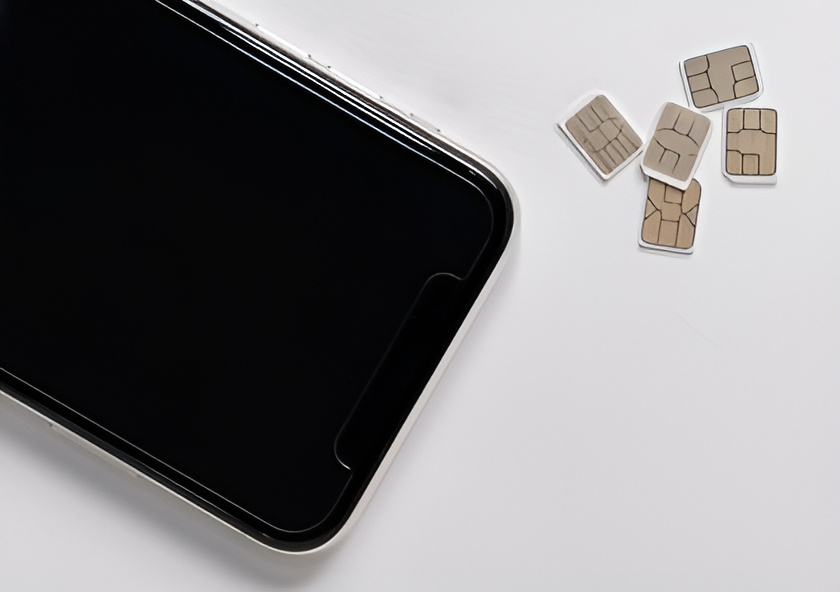
To register a new or re-register an existing SIM card, visit a mobile operator’s office with:
The employee will draft a contract—review and sign it. Activate your SIM card in the operator’s office or on Gosuslugi.





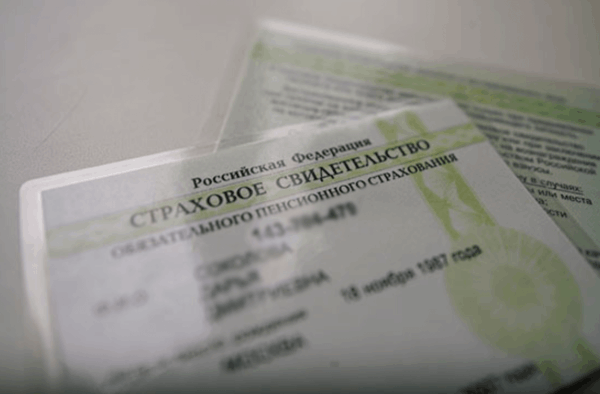
To continue using your registered SIM card, re-register it before July 1, 2025. Otherwise, it will stop working.
How to Re-Register a SIM Card:1. Visit your mobile operator’s office with:
From age 14, with one of the following identity documents:
In Russia — visit a notary or translation bureau. It is required for SNILS, Gosuslugi registration, biometric registration, and signing a mobile contract.
Read Also

Access to Membership
Shared Values Visa Guide
$99